
OneLake and Shortcuts: Choosing the Right Data Foundation
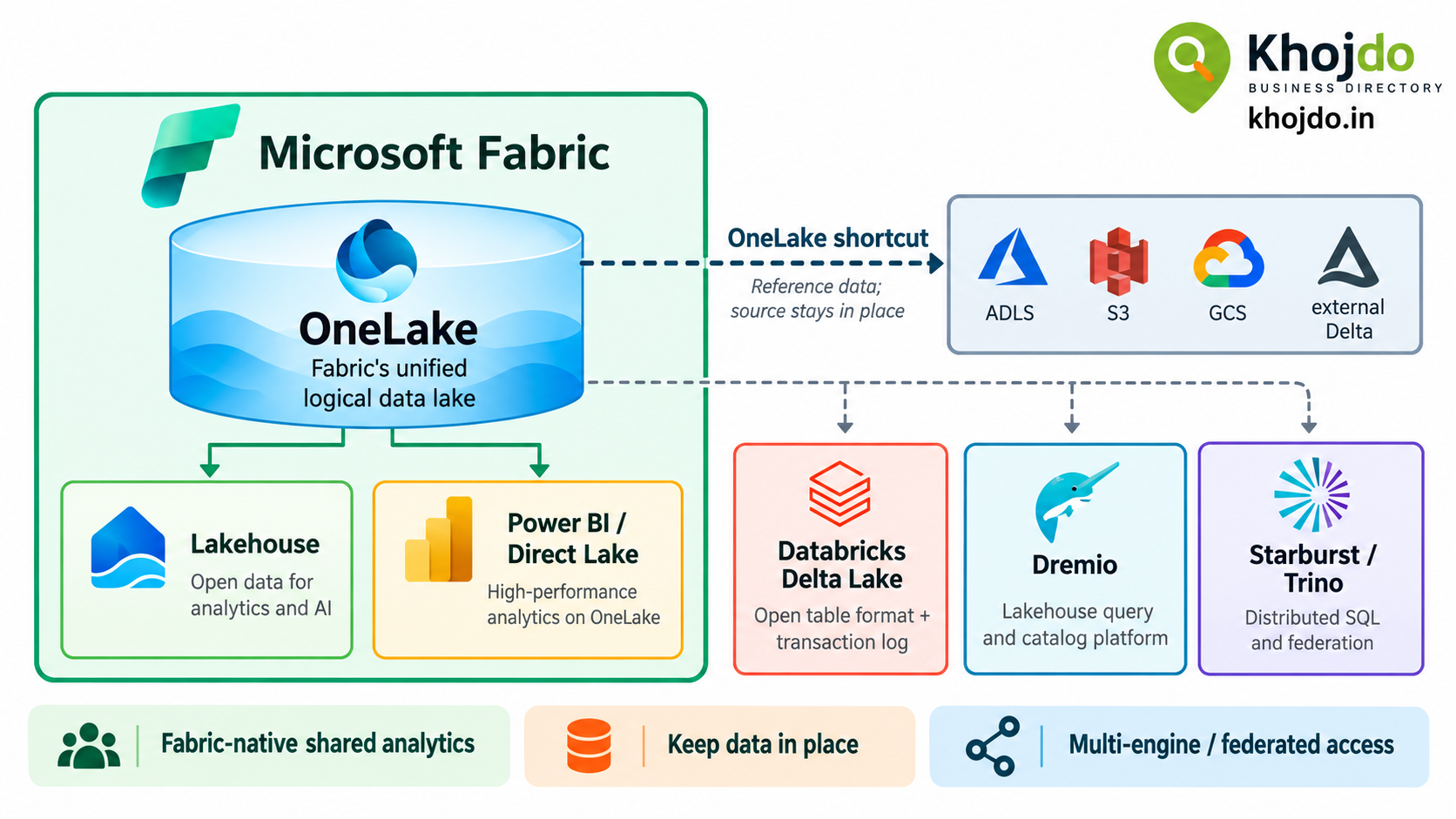
Learn how Microsoft Fabric OneLake and shortcuts work, how they differ from Delta tables, Dremio, and Starburst, and how to choose, optimize, monitor, and deploy the right data architecture.
Microsoft Fabric includes OneLake, a shared logical data lake for an organization’s Fabric analytics data. A OneLake shortcut is a reference to data in another location: it makes that data accessible through OneLake without first copying it into the destination item. Together, they can simplify data access across Fabric workloads and help teams avoid unnecessary copies.
OneLake, a shortcut, a Delta table, Dremio, and Starburst are not equivalent products. They sit at different layers: OneLake is a data lake foundation, a shortcut is a data reference, Delta is a table format and transaction layer, and Dremio and Starburst are analytics platforms. Choose based on where data lives, which engines need it, and the performance, governance, and reliability targets you must meet.
How OneLake and a shortcut work
Each Fabric tenant includes OneLake. Fabric items such as Lakehouses and Warehouses use it as their storage foundation. Within OneLake, a Lakehouse can store files and tables, while Fabric workloads access data through their own tools and engines.
Create a free account to read the rest
This article is open to registered readers. Signing up takes a minute and costs nothing.